
Scattered Text Animation on scroll
for Squarespace 7.1

•
Your message deserves to be read
• Your message deserves to be read
Scattered words drift together as your visitor scrolls.
Animated text in Squarespace that people actually stay for.
Animation editor
Text
Each line assembles one after another.
Style the words
Click one or more words, then pick a style.
Nothing picked yet.
No visible change? Your font may not have that weight.
Text style
Uses your site's own styles from Design → Fonts.
Text size
Same size as your site's text style.
1× = your site's size. Mobile applies below 768px.
1rem ≈ 16px.
Image settings
Add pictures here, then place them in the text with the "+ Picture after this word" button above.
1× = as tall as a line of text.
Grows out of its place in the line.
How long the enlarging takes. Lower = faster.
Scatter settings
Where the words wait before they assemble.
Change the number to get a different scatter.
Lower = calmer scatter on phones.
Scroll settings
Follows the scroll: moves as you scroll, both ways. Plays once: runs when a line appears.
Higher = the text assembles with less scrolling.
Low = one line at a time. High = lines overlap.
Avoid Upper if the block is at the very bottom of the page.
Fine tuning
Tick a box to override your site's setting, or just drag the slider.
Save your changes
- Click Generate updated code
- Click Copy code
- Close this window (X in upper right)
- On this page, go into edit mode again, open this code block and select all (Ctrl/Cmd + A) — this deletes the existing code
- Paste the new code and Save
You just tried 4 settings. The full animation comes with 45+ more settings to shape every detail and make it truly Yours
Get a text reveal animation that assembles your words on scroll with a built-in Visual Editor for your Squarespace website
One-time payment · Instant download · Squarespace 7.1 · Core plan or higher
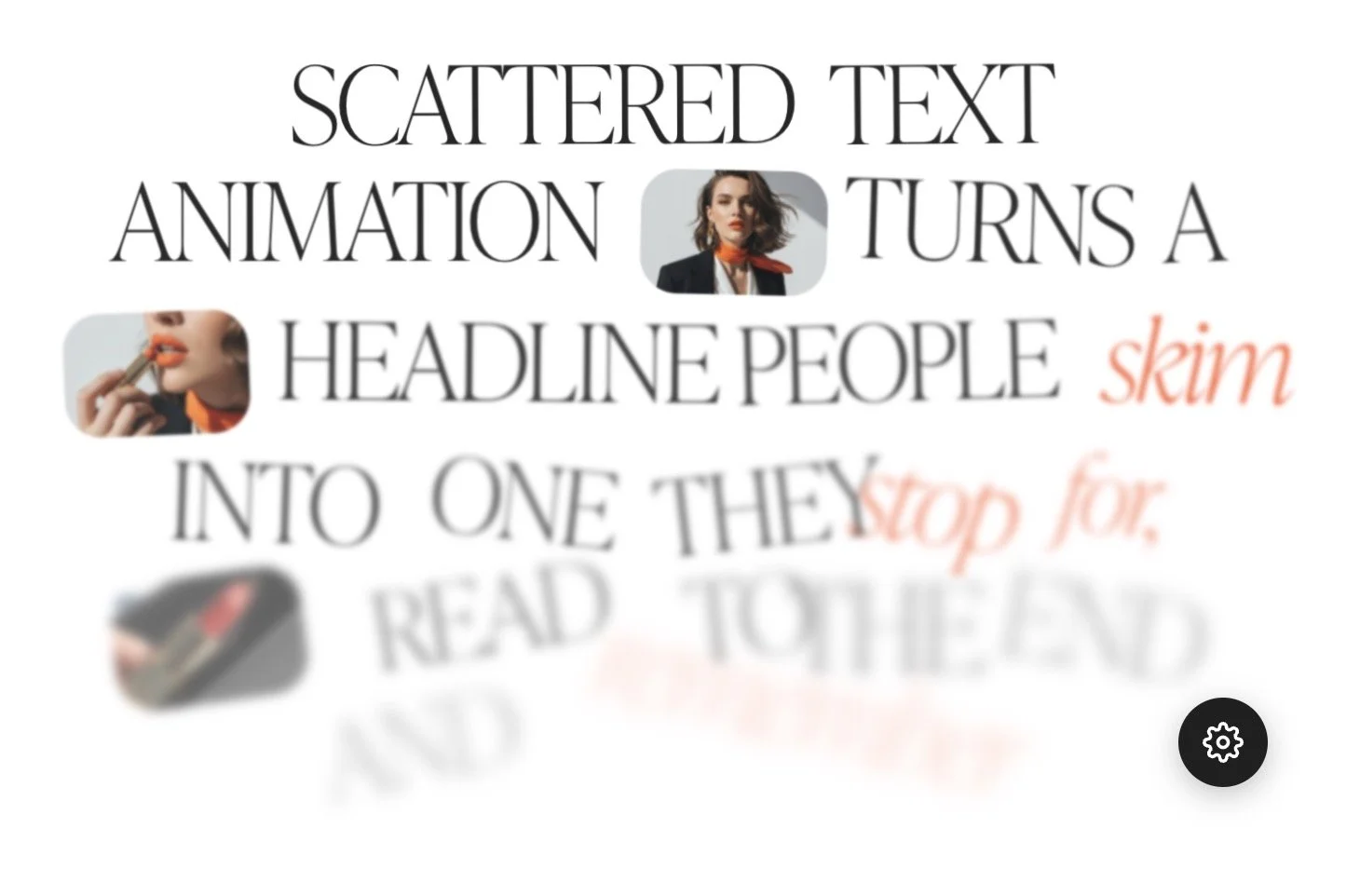
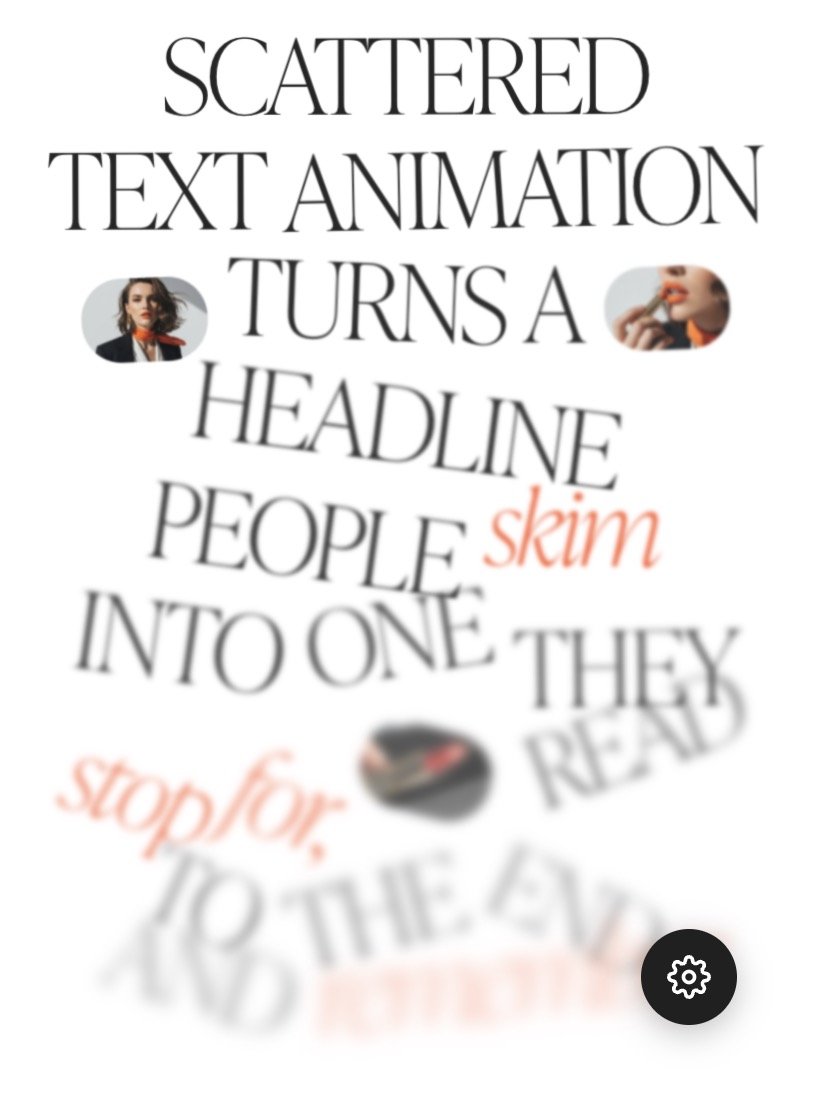
The scattered text animation is a text reveal animation on scroll for Squarespace 7.1, delivered as a single code block you paste into any page. Your words start spread across the section, faded and slightly tilted, then drift together and settle into clean lines as your visitor scrolls. Scroll back up, and they drift apart again.
You decide how far the words travel, how much they tilt, how quickly each line lands and how it behaves on a phone. Everything is set in a panel that opens from a gear icon over the block, so nothing is edited in code. Photos can sit right inside the sentence too, which lets a headline show as well as tell.
Every word drifts in and settles as visitors scroll, keeping them on the page longer and making your message stick.
This is the difference between a text people scroll past and one they stop for.
The VISUAL EDITOR
Every setting has a slider. None of them have code. Most Squarespace code asks you to hunt for line 40, change a number, publish and squint at the result. This one lets you drag a slider and watch the words move.
A small gear sits in the corner of the block. While you’re logged into Squarespace, click it and a panel opens beside your page: your text, the words you want to style, pictures, scatter, scroll and fine-tuning. Click a word to make it bold, italic, underlined or accented. No markers to type.
FEATURES
A visual editor with sliders
No hunting through code, no publishing and hoping. Drag a slider and the words rearrange while you’re still dragging.
Scatter the words your way
Choose how far the words spread sideways and up and down, how much they tilt, how big or small they start and how faded or blurred they wait. One number gives you a brand new arrangement.Pictures inside your scattered text
Drop a photo between two words. It scatters and lands with the text, and on hover it can grow or fade up bigger, so a visitor sees the detail without leaving the page.Scroll-triggered text animation, or plays once
Let the words move with the scroll, in both directions, or let each line play once when it appears. You decide how much scrolling it takes and how much the lines overlap.A calmer scattered text on mobile
Text size, picture height, scatter amount and enlarged width each have a mobile setting. Nothing flies off a small screen, and nothing is crammed into it either.Uses your Squarespace fonts
Pick Heading 1 to 4 or Paragraph 1 to 3 and the words use your site’s font, size and spacing. Prefer something exact? Set the size yourself, with a separate size for mobile.
WHAT You CAN CUSTOMIZE ─
Change everything without touching code
Your text
Type or paste your own words and each line lands in its turn. Short and punchy for a hero, longer and calmer for a brand story. Line breaks are yours to place, so the rhythm stays exactly how you wrote it.Style the words
Click the words that matter, then make them bold, italic or underlined, or give them one of two accent colours. A single highlighted word can carry the whole sentence. No symbols to type, no code to remember.Pictures in the line
Place a photo between two words, as many as you like, and move them into order with a click. Each one scatters and lands with the text, and can carry a short description for visitors using a screen reader.Spread
Decide how far the words wander before they settle, sideways and up and down. Keep it tight for a quiet, polished feel, or let them roam for a bigger, more playful entrance.Tilt
From perfectly straight to a full 90°. A little tilt makes the words feel hand-placed. A lot turns the section into a small event.Size change
Let some words start bigger and others smaller, so the scatter feels natural rather than tidy. Set it to zero if you want every word the same.Fade and blur
Choose how faint and how soft the words are while they wait. Barely there and slightly blurred reads as depth, then everything sharpens as it lands.Scatter pattern
Not happy with how the words fell? Change one number and get a completely new arrangement, sixty in total. Same text, a different first impression.Scroll timing
Set how much scrolling it takes, where on the screen it starts, and how much the lines and words overlap. Slow and deliberate, or quick and light. Most sites want slower than you would expect.Scroll or play once
Let the words follow the scroll in both directions, or have each line play once when it appears. Pick from six easings, from a soft ease out to a bouncy spring.Mobile
Text size, picture height, scatter amount and enlarged width each have their own phone setting. Adjust only what bothers you, or keep the desktop look as it is.Hover enlarge
Let a picture grow or fade up bigger when someone hovers over it, with the width and the speed set by you. Visitors see the detail without leaving the page.Fine Tuning
Your site’s own text style or an exact size, weight, letter spacing, line height, word spacing, colour, underline weight and drop, picture shape, corner rounding and padding.
WHO IS THIS FOR?
Made for You & the Clients You're Building For
Photographers and portfolio websites
Let a portfolio statement or an about page arrive word by word, with one of your photos sitting right inside the sentence. Your story gets read, not skimmed.Wellness & beauty
Calm, soft and unhurried. A gentle scatter and a slow settle suit spas, skincare and wellbeing brands, where how a page feels matters as much as what it says.Coaches, consultants and personal brands
Your promise is the most important sentence on the page. Let it assemble in front of a visitor, so it lands the way it does when you say it in person.Squarespace designers and agencies
One block that makes any client site feel custom-built, reusable on every project you take on. The Multi-site license covers all of them.Shops & small businesses
A brand story or product intro that settles into place as people scroll, with your product photo tucked inside the line.
HOW TO INSTALL
(2 minutes)
Turn your website into an interactive, unforgettable experience.
Get your code
Purchase the animation and receive your code via instant download.
1
Paste the code into the code block
Open your Squarespace editor, add a Code Block to any section, and paste the code. It really is that simple.
2
Make it Yours.
Click the Gear Icon that appears over the block to add text, upload your images and adjust the design visually.
3
AT a GLANCE
Scroll-driven scattered text animation for Squarespace 7.1
Price — $29 for one site, $69 for unlimited sites. One-time, no subscription.
Requires — Squarespace 7.1 on a Core plan or higher, because the animation uses custom JavaScript.
Works with — Fluid Engine and classic sections. Not Squarespace 7.0.
Mobile — Separate text size, picture height, scatter and enlarged width.
On one page — Use it as many times as you like; each copy keeps its own images and settings.
Images — Loaded from your Squarespace asset library.
Text styles - Use your site’s own text styles. Heading 1 to 4 or Paragraph 1 to 3, or a custom size.
Delivery — Instant download the moment you pay.
Support — Email support included with both licences.
PRICING
One Purchase. Yours Forever.
A custom scroll animation from a developer can cost hundreds of dollars. For $29 you get the same kind of effect today, plus a unique visual editor that most custom builds leave out.
Single Site License — $29
For website owners who want their site to feel expensive without paying agency prices.
Use the scattered text anywhere on one Squarespace website, as many times as you like.
What's included:
The full code block with the visual editor
Easy copy-paste solution
Step-by-step installation guide
One Squarespace 7.1 website, unlimited pages
Yours forever — no subscription, no renewal
Email support
A text reveal animation on scroll for Squarespace that assembles your words.
No coding, no developer needed.
The animation is a copy-paste, easy-to-use solution.
Adjust your text, the words you want to style, pictures, scatter, scroll and fine-tune. Click a word to make it bold, italic, underlined or accented - all that using sliders in the Visual Editor.
Perfect for designers, coaches, photographers, agencies, service providers, and all creative entrepreneurs.
What's included:
One Squarespace 7.1 website, unlimited pages
No coding skills needed
The full code block with the visual editor
Step-by-step installation guide
Yours forever — no subscription, no renewal
Email support
For personal and client use only. Resale or redistribution of the code itself is not permitted
Multi-site License — $69
For designers and developers who want one genuinely good animation permanently in the toolkit. Use the scattered text across every Squarespace site you own or build.
What's included:
The full code block with the visual editor
Easy copy-paste solution
Step-by-step installation guide
Unlimited Squarespace 7.1 websites, unlimited pages
Yours forever — no subscription, no renewal
Email support
A text reveal animation on scroll for Squarespace that assembles your words.
No coding, no developer needed.
The animation is a copy-paste, easy-to-use solution.
Adjust your text, the words you want to style, pictures, scatter, scroll and fine-tune. Click a word to make it bold, italic, underlined or accented - all that using sliders in the Visual Editor.
Perfect for designers, coaches, photographers, agencies, service providers and all creative entrepreneurs.
What's included:
Use it across as many Squarespace websites as you own or build — now and in the future. Perfect for designers and business owners managing more than one site.
No coding skills needed
The full code block with the visual editor
Step-by-step installation guide
Yours forever — no subscription, no renewal
Email support
For personal and client use only. Resale or redistribution of the code itself is not permitted
Instant download. Easy copy-paste installation — no coding required.
Both licences are for personal and client use only. Resale or redistribution of the code itself is not permitted.
FAQ
Questions about the scroll-driven text animation for your Squarespace website?
Do I need to know how to code?
No. If you can copy text and paste it, you can use this. Every adjustment is made with sliders and buttons in a visual editor that opens from a gear icon over the block.
How do I animate text on scroll in Squarespace?
With a code block. Paste the scattered text animation into any section, type your text and the words animate as your visitor scrolls: they start scattered and settle into place. Everything is set with sliders in a visual editor, so there is no code to write.
Does this work on Squarespace Fluid Engine?
Yes, and it's built for it. Drag and resize the code block anywhere on your grid. It works in classic sections too. It does not support Squarespace 7.0.
Can I get a Framer-style scattered text animation on Squarespace?
Yes. The look of words that start scattered and drift together as you scroll is popular on Framer and Webflow sites, and Squarespace has no built-in way to do it. This code block brings the same kind of text animation to Squarespace 7.1, with a visual editor so you never touch the code.
Which Squarespace plan do I need?
Core plan or higher. The words are moved frame by frame with JavaScript, and Squarespace only allows custom JavaScript on Core and higher plans. On a Basic plan it won’t run, so please check your plan before buying.
Can I use it more than once on the same page?
Yes. Every copy is independent, with its own text, pictures and settings, so they never interfere with each other.
Can I use this on multiple client sites?
The Single Site Licence covers one website. For client work, the Multi-site Licence at $69 covers every Squarespace site you own or build, now and in the future.
Does it work on mobile?
Yes, and mobile has its own settings rather than just shrinking. Text size, picture height, how far the words scatter and how wide an enlarged picture opens are all set separately for phones.
Will it use my own fonts?
Yes. Choose Heading 1 to 4 or Paragraph 1 to 3 and the words use your site’s own font, size and spacing from Design, Fonts. You can also set an exact size, weight, letter spacing, line height and colour.
Will this slow down my website?
No. It taps into Squarespace's own content delivery network, so even a 3000px upload is served as a lightweight optimized version. There's no external library or plugin loading in the background.
What do I need to get started?
A Squarespace 7.1 site on a Core plan or higher, your text and your images uploaded. That's it. Installation takes about two minutes.
What if I get stuck?
Email me. Both licences include support, and you're emailing the person who wrote the code, not a helpdesk.
WHAT MAKES THIS TEXT ANIMATION SPECIALScattered text animation on scroll gives your key message the attention it deserves.
Movement catches the eye, so visitors slow down at the one sentence you most want read: your offer, your promise, your story. Every word settles as they scroll, which keeps them on the page longer and makes your message stick. No plugin. No developer. No subscription. Instant download; setup guide included.